Hi all,
I’m experiencing an issue when using compas_blender and compas_tna, and I would like some advice or clarification.
- I generate a Form Diagram as a meshgrid and define supports at the vertices.
- I use relax_boundary_openings to relax the mesh.
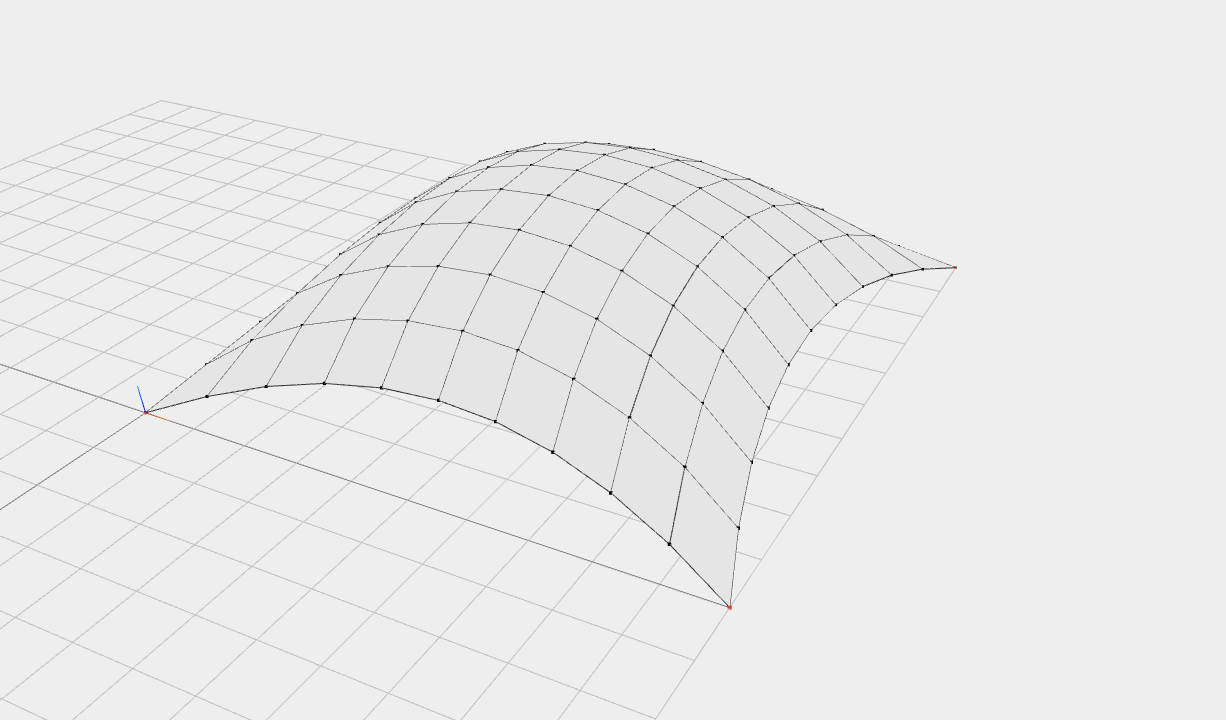
- When I run update_boundaries, extra faces are generated between supports in the Form Diagram.
- These extra faces are required for constructing the Force Diagram and ensuring both horizontal and vertical equilibrium, I guess
On compas_notebook viewer these faces are not displayed, but in Blender, they remain visible as part of the mesh.
Is this the expected behavior?
Is there any way to automatically remove or hide these faces in Blender, or to make Blender’s visualization consistent with the notebook viewer?
Thank you for any guidance or recommendations!
I am adding below the code and some reference images.
In Blender:
#Import dependencies

from compas_tna.diagrams import FormDiagram
from compas_tna.diagrams import ForceDiagram
from compas_tna.equilibrium import relax_boundary_openings
from compas_tna.equilibrium import horizontal_nodal
from compas_tna.equilibrium import vertical_from_zmax
from compas.scene import Scene

#Create Form Diagram
form: FormDiagram = FormDiagram.from_meshgrid(dx=10, nx=10)

#Add supports
corners: list[int] = list(form.vertices_where(vertex_degree=2))
form.vertices_attribute("is_support", True, keys=corners)

#Relax Form Diagram at boundary openings
form.edges_attribute("q", 10.0, keys=form.edges_on_boundary())
relax_boundary_openings(form, corners)

#Update boundaries
form.update_boundaries()

#Create Force Diagram
force = ForceDiagram.from_formdiagram(form)

#Find horizontal equilibrium
horizontal_nodal(form, force, kmax=100)

#Find vertical equilibrium
scale = vertical_from_zmax(form, 3.0)

#Create scene and add form diagram

scene = Scene()
scene.add(form)
scene.draw()

In Jupyter:
#Import dependencies

from compas_tna.diagrams import FormDiagram
from compas_tna.diagrams import ForceDiagram
from compas_tna.equilibrium import relax_boundary_openings
from compas_tna.equilibrium import horizontal_nodal
from compas_tna.equilibrium import vertical_from_zmax
from compas_notebook import Viewer

#Create Form Diagram
form: FormDiagram = FormDiagram.from_meshgrid(dx=10, nx=10)

#Add supports
corners: list[int] = list(form.vertices_where(vertex_degree=2))
form.vertices_attribute("is_support", True, keys=corners)

#Relax Form Diagram at boundary openings
form.edges_attribute("q", 10.0, keys=form.edges_on_boundary())
relax_boundary_openings(form, corners)

#Update boundaries
form.update_boundaries()

#Create Force Diagram
force = ForceDiagram.from_formdiagram(form)

#Find horizontal equilibrium
horizontal_nodal(form, force, kmax=100)

#Find vertical equilibrium
scale = vertical_from_zmax(form, 3.0)

#Create scene and add form diagram

viewer = Viewer()

viewer.scene.add(form)

viewer.show()